

Table of Contents
- What to Look for in Compact Smart Home Security for Renters
- Best Wireless Security Cameras for Renters
- No-Drill Apartment Security Systems That Protect Your Lease
- How to Secure an Apartment Without Landlord Permission
- Wireless vs. Wired Connectivity: What Works in a Rental
- Contract-Free Monitoring and Smart Home Integration
- Cybersecurity and Privacy for Rental Security Devices
- Frequently Asked Questions
Last Updated: September 15, 2026
What to Look for in Compact Smart Home Security for Renters
Security camera adoption among renters jumped from 42% to 54% in a single year, according to SafeHome.org's 2026 Home Security Market Report. That 12-point surge tells you something important: renters have stopped treating security as something they'll get around to after buying a house.

Compact smart home security for renters is a system of wireless, battery-powered or plug-in devices that monitor your apartment without drilling, permanent wiring, or long-term contracts. The best setups install in under 30 minutes, run on adhesive mounts or freestanding bases, and move with you when your lease ends.
Four criteria separate gear that actually works in a rental from gear that becomes a headache:
- No-drill installation. Adhesive mounting, magnetic bases, or shelf placement only. Anything requiring a screwdriver is a lease violation waiting to happen.
- Wireless connectivity. Wi-Fi or a dedicated hub, so there's no coax or ethernet run to negotiate with your landlord.
- Contract-free monitoring. Self-monitoring through a mobile application beats a 36-month agreement you can't cancel.
- Portability. If it can't survive a move, it isn't renter-friendly. Resale value matters too, since you'll likely relocate within a few years.
Get these four right and the rest is details.
Best Wireless Security Cameras for Renters
The best wireless security cameras for renters prioritize battery life, adhesive mounting, and local storage over permanent installation. Look for 2K-or-better resolution, night vision, two-way audio, and a field of view wide enough to cover a doorway or hallway from a single corner.
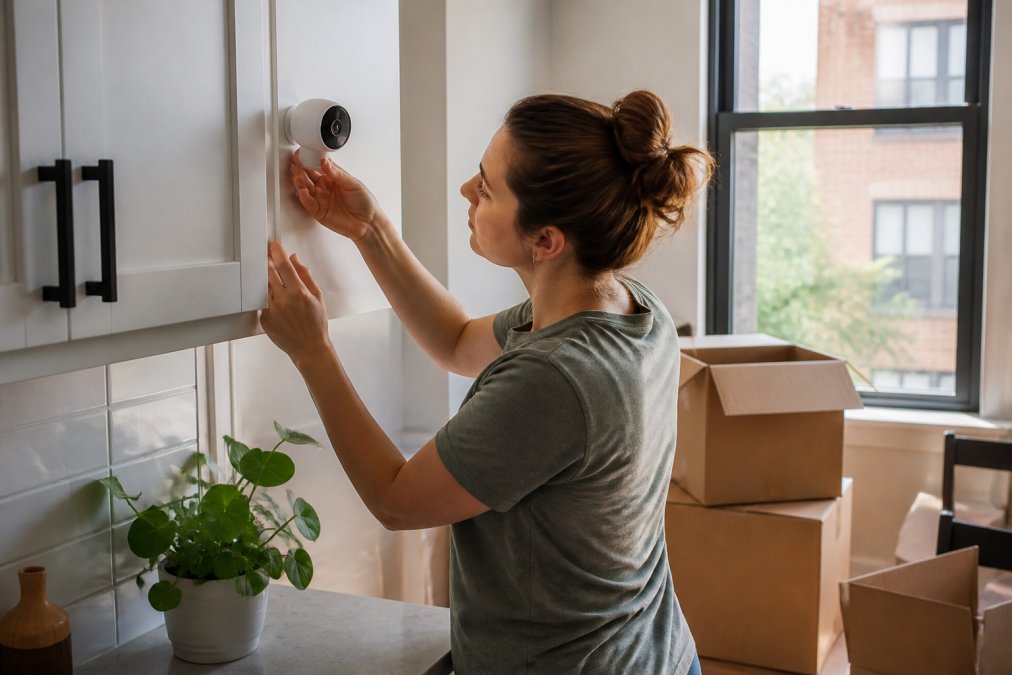
Here's what to weigh when comparing models:
| Feature | Why It Matters in a Rental | Minimum Spec to Accept |
|---|---|---|
| Power source | No wiring allowed | Battery or solar, 3+ months per charge |
| Storage | Landlord can't access your footage | Local microSD or encrypted cloud |
| Mounting | Zero wall damage | Adhesive, magnetic, or freestanding |
| Connectivity | Must survive moving between units | Wi-Fi 2.4 GHz, easy re-pairing |
| Alerts | False alarms kill adoption fast | Motion zones + person detection |
A common mistake is buying the cheapest camera and discovering it needs a wired power adapter near the doorframe. Check the power source before anything else.
Shop Home Electronics offers the Wireless 2K Outdoor Solar Security Camera, which runs on three hours of daily sunlight with no monthly fee, solving the recharge problem entirely for balcony or entryway coverage.
No-Drill Apartment Security Systems That Protect Your Lease
No-drill apartment security systems rely on adhesive mounting, tension rods, and freestanding sensors to avoid lease violations. The category has matured fast: major providers now market specific no-drill mounts and wireless systems precisely because renters demanded them (Ring and SafeHome.org coverage of no-drill hardware).
A standard renter kit for a one-bedroom apartment, typically a hub, key fob, door/window sensor, and motion sensor, runs about $199 out of the box, based on GoAbode's 2026 renter system testing. That's the benchmark to compare against.
What most guides miss is the lease-compliance angle. Read your agreement before you buy anything. Many leases prohibit "permanent alterations" but say nothing about removable adhesive, while others require written notice for any security device. Move.org's 2026 guidance notes that even non-permanent adhesive mounts can breach some agreements, so document what you install and photograph the wall condition before and after.
How to Secure an Apartment Without Landlord Permission
Securing an apartment without landlord permission comes down to devices that leave no trace: adhesive mounts, freestanding cameras, and smart locks that replace existing hardware rather than modify it. None of these require a signature.
The practical sequence:
- Start with the entry point. A doorbell camera or a camera aimed at your front door catches more incidents than any interior device.
- Add window and entry sensors. These are the cheapest layer and the first to trigger.
- Cover the interior sightline. One camera facing your main living space covers most of what matters.
- Layer in a smart lock if your door accepts a retrofit, so you're not hiding a key under a mat.
- Test everything for a week before you rely on it.
If your building has a shared entry or management-controlled locks, skip anything that touches the door itself and focus on interior coverage. Shop Home Electronics offers the Waterproof Smart Lock - Fingerprint, Password & Card Access for Sliding Doors, which handles balcony and patio entries that standard deadbolts miss.
Wireless vs. Wired Connectivity: What Works in a Rental
Wireless wins in rentals almost every time, and it isn't close. Wired systems offer more reliable uptime and no battery swaps, but they require drilling, cabling, and in most leases, explicit landlord approval you probably won't get. The trade-off is real, though: battery-powered cameras need recharging every few months, and Wi-Fi can drop in older buildings with thick walls.
What most guides skip is the network layer itself. In a rental, you rarely control the router. If your building provides shared Wi-Fi, every camera, doorbell, and sensor you add is competing for airtime on a 2.4 GHz band that dozens of other tenants are already saturating. That congestion is why a camera that streams fine at 2 a.m. stutters at 7 p.m. when the whole floor is home.
Three practical fixes, in order of effort:
- Put your devices on a dedicated band or guest network. Most modern routers let you spin up a separate 2.4 GHz SSID. If you control the router, do this on day one.
Contract-Free Monitoring and Smart Home Integration
A practical compatibility checklist before you buy:
Cybersecurity and Privacy for Rental Security Devices
What to demand from any device:
Frequently Asked Questions
Can I install a security system in a rental apartment?
Yes, renters can install security systems without permanent modifications. Security camera adoption among renters increased from 42% to 54% in one year, according to SafeHome.org's 2026 report. Choose no-drill mounts, adhesive strips, or freestanding cameras that leave no damage. Always check your lease for specific rules about adhesive mounts or window sensors. Non-invasive DIY systems from other providers are designed specifically for rental environments, requiring no drilling and no long-term contracts.
What is the best no-drill home security system for renters?
The best no-drill apartment security systems use adhesive mounting, wireless sensors, and battery-powered components. A standard Smart Security Kit for a 1-bedroom apartment, including a hub, key fob, door/window sensor, and motion sensor, costs approximately $199 according to other providers' testing. Look for systems with tamper-resistant adhesive, rechargeable batteries, and smart hub compatibility. Other providers market no-drill mounts specifically for renters to avoid lease violations.
Do smart security cameras require professional installation?
Most compact smart home security for renters uses DIY installation. Wireless cameras and sensors pair with a mobile application via Wi-Fi connectivity, typically in under 30 minutes. No professional installation is needed for battery-powered or adhesive-mounted devices. However, DIY systems may lack the professional-grade integration of hardwired setups. For renters, the trade-off favors portability and lease compliance over permanent infrastructure.
How can I secure my apartment without damaging walls?
Use adhesive mounting strips, tension rods for window sensors, and freestanding cameras. No-drill apartment security systems rely on removable adhesive that holds up to 10 pounds. Place doorbell cameras over existing peepholes, use window sensors with removable putty, and position indoor cameras on shelves. Avoid screws or nails entirely. Test adhesive on a hidden wall section first, and document wall condition before installation to protect your security deposit.
Are wireless security systems reliable for renters?
Wireless systems are reliable for renters when properly configured. Modern wireless sensors use encrypted data transmission and battery-powered operation lasting 6-12 months. Wi-Fi connectivity supports real-time alerts and remote access through a mobile application. The main limitation is signal interference in dense apartment buildings. Choose systems with frequency hopping or dual-band Wi-Fi. Cloud storage and local storage options provide backup if connectivity drops temporarily.
What features should I look for in a compact security camera?
Prioritize night vision, two-way audio, motion detection zones, and a privacy shutter. Look for at least 2K resolution and a wide field of view (130 degrees or more). Battery-powered or rechargeable models suit rentals better than wired. Check for smart home integration with voice assistant compatibility. False alarm prevention and push notifications reduce unnecessary alerts. Contract-free cloud storage plans start free or low-cost, and local storage via microSD adds redundancy.
The rental market moves fast, and gear that fit your last apartment may not fit the next one. Shop Home Electronics builds its security lineup around exactly that constraint: compact, portable devices with no-drill mounting, encrypted local storage, and no monthly fees. Browse the collection to find cameras, smart locks, and sensors that install in minutes and come with you when the lease ends. Add to cart and secure your space this week, not after the next move.